
This project demonstrates how I transformed the open-source Sock Shop microservices application into a production-ready, secure, and scalable system on AWS.
It covers the full DevSecOps lifecycle from building and scanning container images to deploying microservices on Kubernetes using automated CI/CD pipelines, infrastructure as code, and GitOps practices.
The project is supported by a 5-minute end-to-end demo video showing the complete deployment journey from Docker to AWS:
This project is structured as a multi-part series, documenting my journey of turning the Sock Shop demo into a real-world, cloud-native system.
Each part focuses on a concrete stage of the DevOps lifecycle, from first deployments to production-grade operations.
Sock Shop Part 1 – Real-World Kubernetes Deployment Lessons with Sock Shop My journey deploying the Sock Shop microservices on Kubernetes, focusing on architecture, containerization, Helm, and real-world deployment challenges.
Sock Shop Part 2 – Building CI/CD Pipelines for Microservices
Designing and implementing GitLab CI/CD pipelines, running security scans, managing environments, and deploying services independently.
Sock Shop Part 3 – Production-Ready Infrastructure with Terraform & ArgoCD Building the cloud infrastructure on AWS and deploying services in a production-ready, automated way.
Sock Shop Part 4 – Observability, Backup & DevSecOps in Action Implementing monitoring, logging, backups, and applying DevSecOps practices across the system.
Sock Shop: Cloud-Native Reference App 🏪
Sock Shop is an open-source e-commerce demo developed by Weaveworks [1] [2]. It simulates an online sock store with features like authentication, product catalogue, shopping cart, orders & payment, and shipping & billing.
It is a fully containerized, cloud-native reference application, built with Go, Java (Spring), and Node.js.
![Architecture of the Sock Shop application [3]](/_astro/architecture.JCafzrtN_1mBWWR.webp)
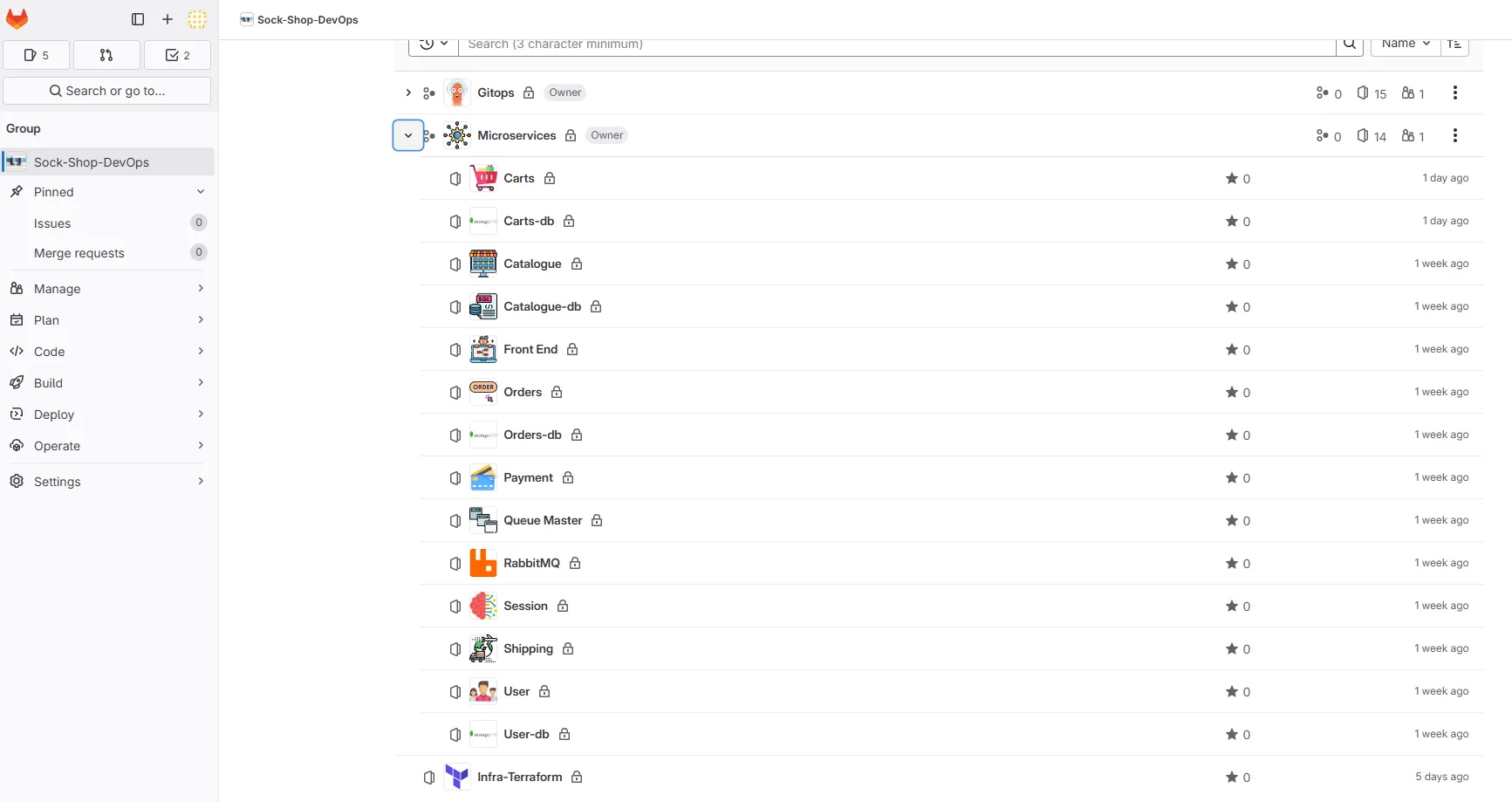
Codebase Organization 📁
Initially, the deployment manifests for all microservices were grouped in a single repository, which complicated modularity and management. I reorganized the project to better reflect a microservices-oriented approach, improving separation of concerns and maintainability.
Each repository has its own .gitlab-ci.yml file, orchestrating the CI/CD pipeline, executed via custom GitLab runners I set up.
Benefits of this approach:
● Independent deployment for each service
● Better version control
● Scalability and isolation of components
Docker & Containerization 🐳
I attempted to apply container best practices where possible:
- Multi-stage builds to reduce image size
- Running containers as non-root users
- Dockerfile linting with Hadolint
- Pre-commit checks with Talisman to prevent secrets
Reality check: because the application is archived and relies on outdated dependencies, fully enforcing modern Docker best practices was not always realistic. Security scans reported multiple vulnerabilities, most of them caused by unmaintained base images or legacy dependencies. Rather than masking these findings, I chose to keep them visible to reflect the real-world state of the application. This reinforced an important lesson: DevSecOps tooling can highlight risks, but it cannot compensate for an unmaintained codebase.
I considered restructuring the Dockerfiles to fully align with modern best practices, but given that the Sock Shop codebase is no longer maintained, the potential benefits are limited. I plan to apply these improvements in future projects, such as my Online Boutique application, where the code is actively developed.
1. Security Analysis – weaveworksdemos/carts
Result: 109 vulnerabilities (36 CRITICAL, 73 HIGH)
Image: Alpine 3.6.2 (⚠️ unsupported)
Critical vulnerabilities priority
| Component | CVE | Current Version | Fixed Version |
|---|---|---|---|
| openjdk8-jre | CVE-2018-2938 | 8.131.11-r2 | 8.181.13-r0 |
| libx11 | CVE-2018-14599 | 1.6.5-r0 | 1.6.6-r0 |
Recommendations
● Migrate to a recent Alpine version
● Update OpenJDK and libX11
● Automate security scanning in CI/CD
2. Java Dependencies Security Analysis
The application relies on legacy Java dependencies that are no longer maintained, resulting in a high number of critical vulnerabilities.
Result: 109 vulnerabilities (36 CRITICAL, 73 HIGH)
Application: app.jar
Critical vulnerabilities priority
| Component | CVE | Current Version | Fixed Version |
|---|---|---|---|
| jackson-databind | CVE-2017-15095 | 2.8.6 | 2.8.11+ |
| tomcat-embed-core | CVE-2017-5648 | 8.5.11 | 8.5.13+ |
| spring-boot-starter-web | CVE-2022-22965 | 1.4.4.RELEASE | 2.5.12+ |
| spring-data-mongodb | CVE-2022-22980 | 1.9.7.RELEASE | 3.3.5+ |
| spring-web | CVE-2016-1000027 | 4.3.6.RELEASE | 6.0.0+ |
Key recommendations
● Update Jackson to 2.13.4.2+ (multiple RCE vulnerabilities)
● Upgrade Tomcat to 9.0.31+ (AJP vulnerability CVE-2020-1938)
● Update Spring Framework to 5.3.18+ (Spring4Shell mitigation)
● Replace SnakeYAML 1.17 with 2.0+ (RCE via deserialization)
CVE Risk Assessment & Prioritization Strategy
Given the legacy nature of this codebase, here’s how I would approach vulnerability management in a production scenario:
Would Fix First (Critical Priority)
- CVE-2017-15095 (Jackson): RCE via deserialization - CRITICAL
- CVE-2022-22965 (Spring4Shell): RCE in Spring Framework - CRITICAL
- CVE-2020-1938 (Tomcat AJP): Network-accessible RCE - HIGH
Would Monitor (Medium Priority)
- CVE-2022-22980 (Spring Data): Requires specific conditions - MEDIUM
- CVE-2016-1000027 (Spring Web): Older CVE, limited impact - LOW
Would Accept Risk (Low Priority)
- CVE-2017-5648 (Tomcat): Requires local access - LOW
- CVE-2018-2938 (OpenJDK): Limited exploitability in containerized environment
Rationale: For this demo application, I would prioritize network-accessible RCEs and widely exploited vulnerabilities. Local access CVEs and those requiring complex attack chains would be deprioritized given the controlled deployment environment.
3. Docker Image Efficiency Analysis – Dive Tool
Image: weaveworksdemos/carts:master-f676ca14
Overall Result: FAIL
Efficiency Metrics
| Metric | Value | Status |
|---|---|---|
| Efficiency | 80.75% | ❌ FAIL (< 90% threshold) |
| Wasted Bytes | 52 MB | ⚠️ HIGH |
| User Wasted % | 100% | ❌ FAIL (> 0.1% threshold) |
Inefficient Files
| Count | Wasted Space | File Path |
|---|---|---|
| 2 | 52 MB | /usr/src/app/app.jar |
Issues Identified
- High waste ratio: 100% of user-added bytes are wasted
- Low efficiency: image efficiency below 90% threshold
- Duplicate JAR files: app.jar appears twice, wasting 52 MB
Recommendations
● Remove duplicate app.jar files
● Optimize Docker layers to reduce waste
● Use multi-stage builds to minimize final image size
● Target efficiency > 90% and waste < 0.1%
Helm Deployment – Reality Check (Before CI/CD) ⚓
The Helm chart was designed to be reusable across all environments (dev, staging, and prod). Sensitive resources such as Persistent Volumes and Persistent Volume Claims are dynamically scoped to the target namespace, preventing cross-environment conflicts and keeping the setup flexible. This design is intentionally aligned with future GitLab CI/CD automation, where environment-specific values will be injected at pipeline runtime.
Before automating anything, I deliberately focused on deploying the application locally using Helm. Automating a deployment that does not work manually would only hide deeper issues instead of fixing them.
Helm Chart Development Approach
I chose to create the Helm charts from scratch rather than using automated tools. While I tested Helmify (which converts existing Kubernetes YAML to Helm charts), I found the approach too rigid and preferred building charts manually from the original Kubernetes manifests.
My workflow:
- Start with existing Kubernetes YAML manifests
- Create basic Helm chart structure with
helm create - Gradually convert static values to templated variables
- Extensive use of
helm lintfor validation - Test deployments incrementally
helm lint proved invaluable during development. It helped identify syntax and structural issues in the charts before performing actual deployments. This step allowed me to correct mistakes early and significantly reduced trial-and-error during deployment tests.
This manual approach gave me full control over the templating logic and better understanding of the chart structure, which proved essential when debugging the complex issues that followed.
Local deployment requires significant resources
Deploying this project locally requires substantial system resources. With a large number of microservices running across two environments (dev and staging), memory quickly became a limiting factor.
With 16 GB of RAM, several pods remained in a Pending state due to insufficient available resources on the nodes. Increasing the machine memory to 32 GB was necessary to allow proper scheduling and achieve a stable deployment.
This highlighted the importance of correctly sizing local environments when working with Kubernetes-based microservice architectures. As an alternative, limiting the local deployment to a single environment (dev or staging) significantly reduced resource consumption and improved stability.
When “Running” doesn’t mean “Working”
This phase quickly turned into a reality check. The issues did not appear all at once; each fix revealed a new problem, making the debugging process incremental rather than linear.
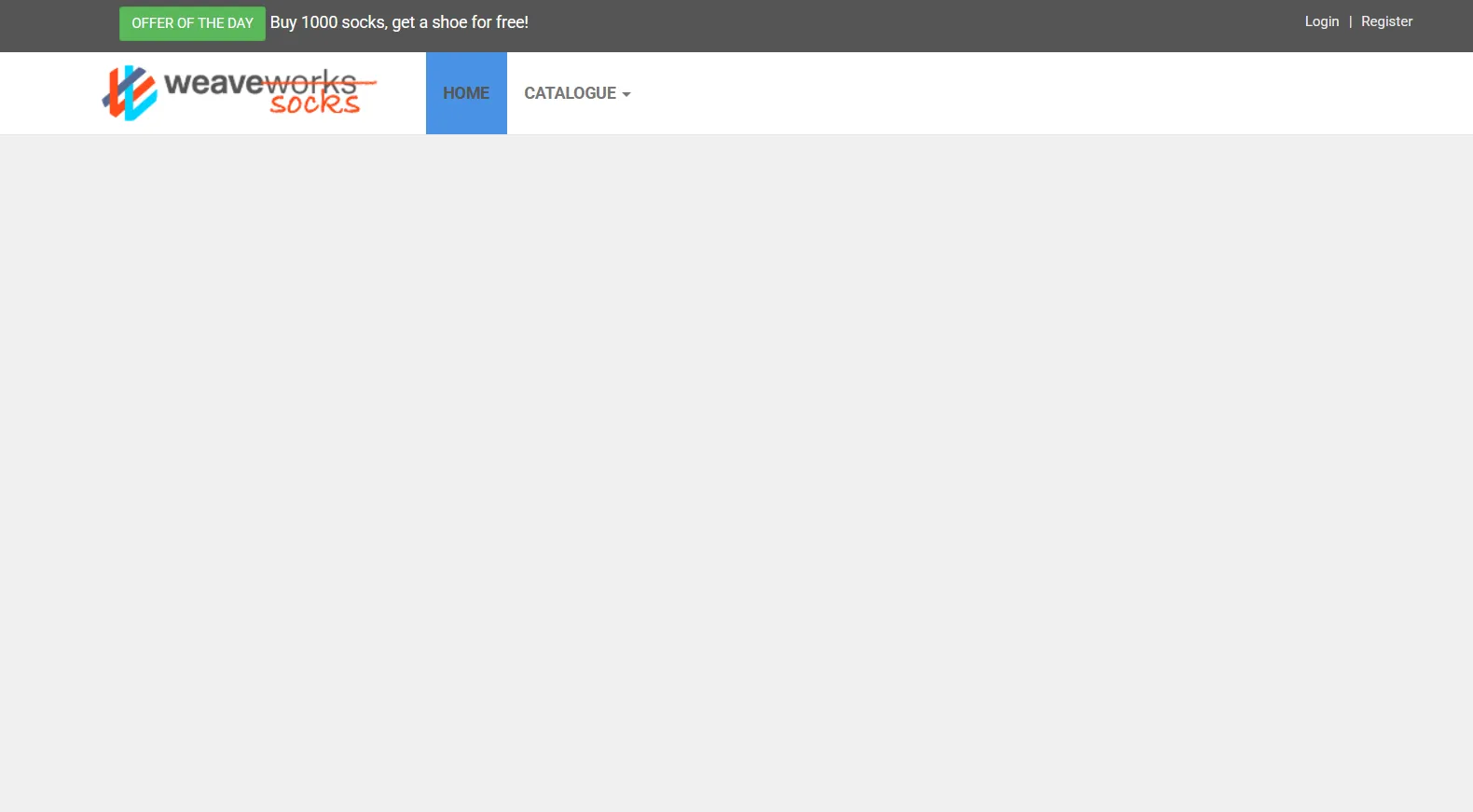
Even though all pods were reported as Running, the application was not fully functional. API calls intermittently failed with 500 Internal Server Errors, particularly for backend services such as catalogue.

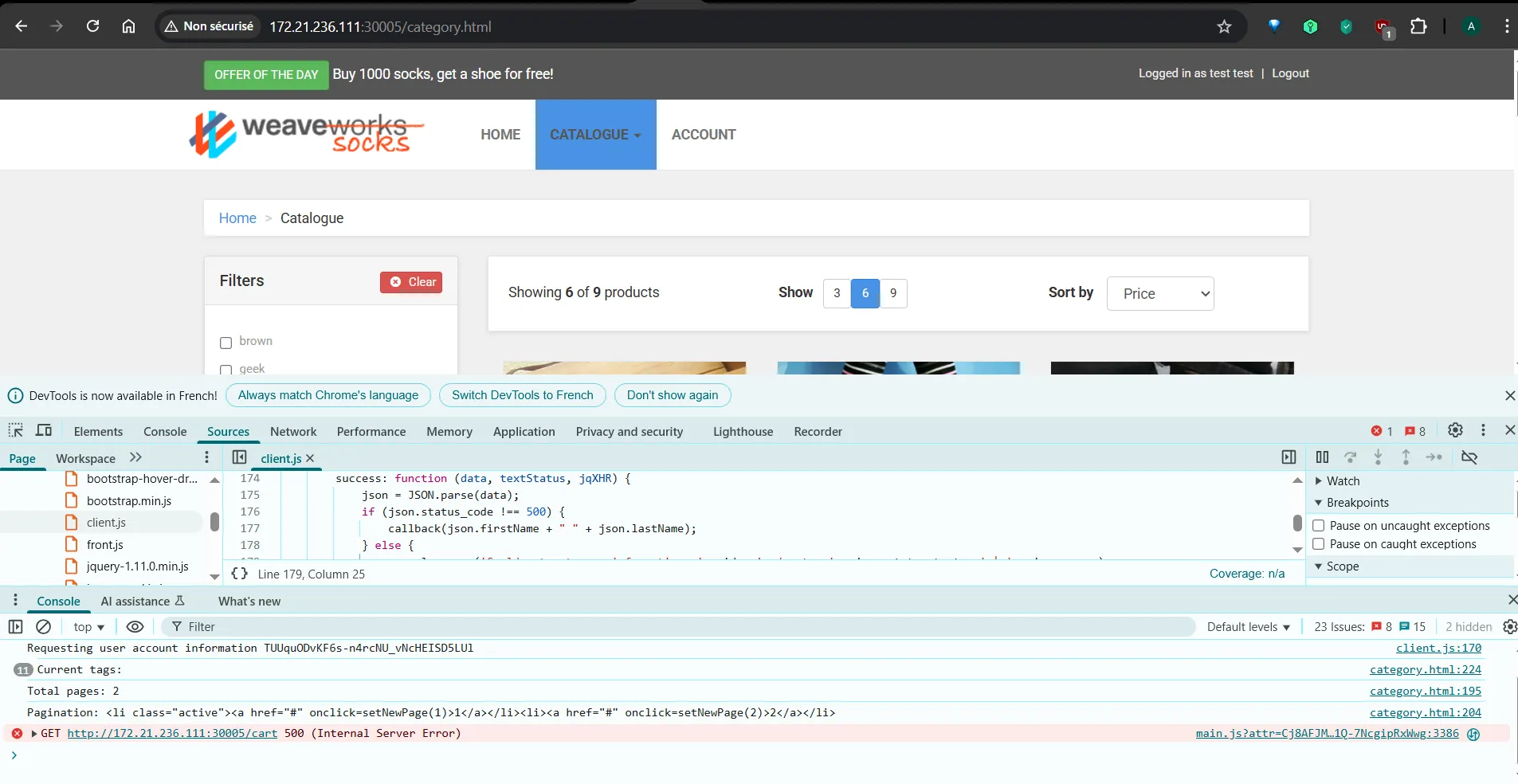
As the investigation progressed, several independent issues were identified:
Helm chart configuration errors, including subtle syntax and structural mistakes in the split charts. In particular, some Service selectors were incorrectly defined using app instead of name, preventing proper traffic routing despite healthy pods.
Service dependency and readiness issues, where applications started before their required components were fully available.
Database connection failures, related to deployment order and database initialization readiness. Some initialization scripts were not executed due to permission issues, leading to incomplete database setup and connection failures.
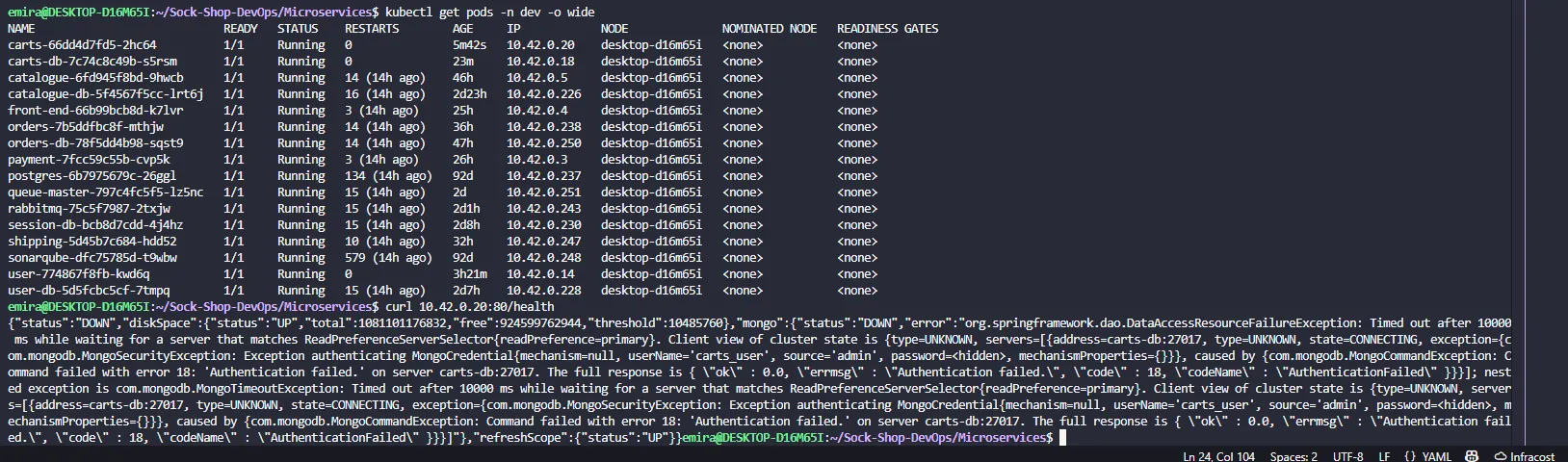
Credentials misconfiguration
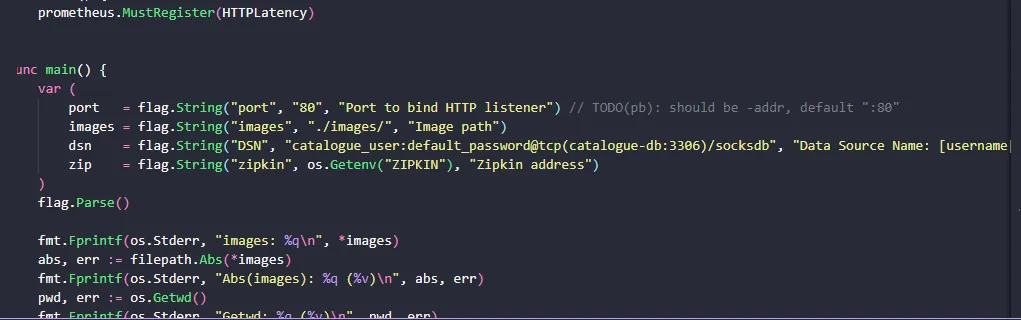
Another issue that cost a significant amount of time was related to credentials. Database credentials were hardcoded inside the application configuration, which I only discovered late in the debugging process.
I had updated the credentials in the Kubernetes YAML files and Helm values, assuming the application would use them. However, the services continued failing to connect to the databases because the application was still relying on the hardcoded credentials.
This created a misleading situation: from a Kubernetes and Helm perspective, everything appeared correct, but the application behavior did not match the configuration. Once identified, the issue was straightforward to fix — but reaching that point required careful investigation.
Deployment order matters
One of the most interesting discoveries was how sensitive the system was to deployment order. Deploying all services at once worked, but when deploying individually, success depended entirely on the order. RabbitMQ was a critical example: it had to be available before any service depending on it, especially queue-master. Deploying queue-master too early consistently caused failures, making the dependency chain explicit.
The correct deployment order was:
-
Databases: user-db, session-db, catalogue-db, carts-db, orders-db
-
Core backend services: user, session, catalogue, carts, orders
-
Messaging & external integrations: rabbitmq, shipping, payment, queue-master
-
Frontend: front-end
Next Steps 🚀
In the upcoming parts of this series, we’ll dive deeper into:
- Part 2: Building CI/CD Pipelines for Microservices
- Part 3: Production-Ready Infrastructure with Terraform & ArgoCD
- Part 4: Observability, Backup & DevSecOps in Action
Stay tuned for the complete journey from development to production-ready microservices!
References
[1] Ian Crosby, “Introducing Sock Shop: A Cloud Native Reference Application”, InfoQ, May 25, 2017. https://www.infoq.com/articles/sock-shop/
[2] Sock Shop Microservices Demo - Source Code Repository. https://github.com/microservices-demo
[3] Michael Hausenblas, “End-to-end observability”, Cloud Observability in Action, Manning Publications, 2024, p. 1-13
[4] Stéphane Robert, “Guide de gestion des vulnérabilités CVE”, https://blog.stephane-robert.info/